[카테고리:] Retro Consoles

  • EverDrive for SNES & Super Famicom: Official vs AliExpress + Full Special Chip Games List (2026)

    Ultimate Guide to EverDrive Flash Carts for Super Famicom / SNES: Official vs AliExpress, Old vs New Models, and Special Chip Support

    If you’re an American retro gamer who owns an original Super Nintendo or Japanese Super Famicom and wants to play your entire library from one cartridge, you’ve almost certainly heard of the EverDrive family of flash carts. These devices let you load ROM images (of games you legally own) onto a microSD card and run them on real hardware with near-perfect accuracy.

    This guide focuses on the Super Famicom / SNES EverDrive products, explains the real differences between official Krikzz carts and the cheaper versions commonly sold on AliExpress, compares older and newer official models, and lists the games that become playable thanks to special (enhancement) chip support.

    Official Krikzz EverDrive / FXPAK vs AliExpress Clones

    Official products come from Krikzz (the Ukrainian developer behind the EverDrive brand). The current high-end option is the FXPAK Pro (the commercial evolution of the open-source SD2SNES project by ikari_01). Lower-tier options include the Super EverDrive X5 and X6.

    AliExpress versions fall into two broad categories:

    • Basic “Super EverDrive” style clones — very cheap, limited feature set.
    • Higher-end SD2SNES / FXPAK-style clones (often labeled Rev X, VX, or similar). Because the original SD2SNES design was open-source, many of these are functional copies rather than pure counterfeits.

    Key differences that matter in practice:

    AspectOfficial Krikzz (FXPAK Pro / Super ED)Typical AliExpress Clone
    Build quality & PCBHigh-quality 4-layer board, hard gold plating, proper voltage regulationVariable; some use cheaper components or incorrect logic levels
    Firmware updatesOngoing official supportRare or non-existent
    Special chip supportFull on FXPAK Pro; partial on X6Depends on the specific clone (good Rev X versions can match, cheap ones cannot)
    Reliability / console safetyDesigned with proper level shiftingRisk of voltage or mechanical issues on lower-quality units
    Warranty & supportAvailable through official channelsNone
    Price (approximate)$99–$229$20–$120

    Many American collectors report that good AliExpress SD2SNES clones work well for casual use, but the official FXPAK Pro remains the gold standard for long-term reliability, correct power handling, and future firmware improvements.

    Old vs New Official Models

    Older Super EverDrive (V1 / V2 era)

    • Basic flash cart with limited ROM size support.
    • DSP-1 support only if you soldered a physical chip (or bought a pre-modded unit).
    • Slower loading, simpler menu, no SA-1 / Super FX / Cx4 support.

    Current Super EverDrive X5 ($59 range)

    • Instant loading, improved menu, up to 128 GB microSD support, Game Genie codes, multi-region shell.
    • No enhancement chip support. Plays the vast majority of the library but skips special-chip titles.

    Super EverDrive X6 ($99 range)

    • Everything the X5 has, plus FPGA-based support for the DSP family of chips (DSP-1/1B, DSP-2, DSP-3, DSP-4).
    • This unlocks roughly 20 additional games, including classics such as Super Mario Kart and Pilotwings.

    FXPAK Pro ($229)

    • The current flagship. Supports almost every enhancement chip used on the SNES / Super Famicom.
    • Additional features: MSU-1 (CD-quality audio patches), Real-Time Clock, extremely fast loading (~9 MB/s), high-resolution menu, and near-100 % library compatibility.

    In short:

    • Want maximum value and most games? → X5 or a good AliExpress basic clone.
    • Want Super Mario Kart and similar DSP titles without paying top dollar? → X6.
    • Want the complete experience including Yoshi’s Island, Star Fox, Super Mario RPG, Mega Man X2/X3, etc.? → FXPAK Pro (or a verified high-quality clone of it).

    Games Unlocked by Special Chip Support

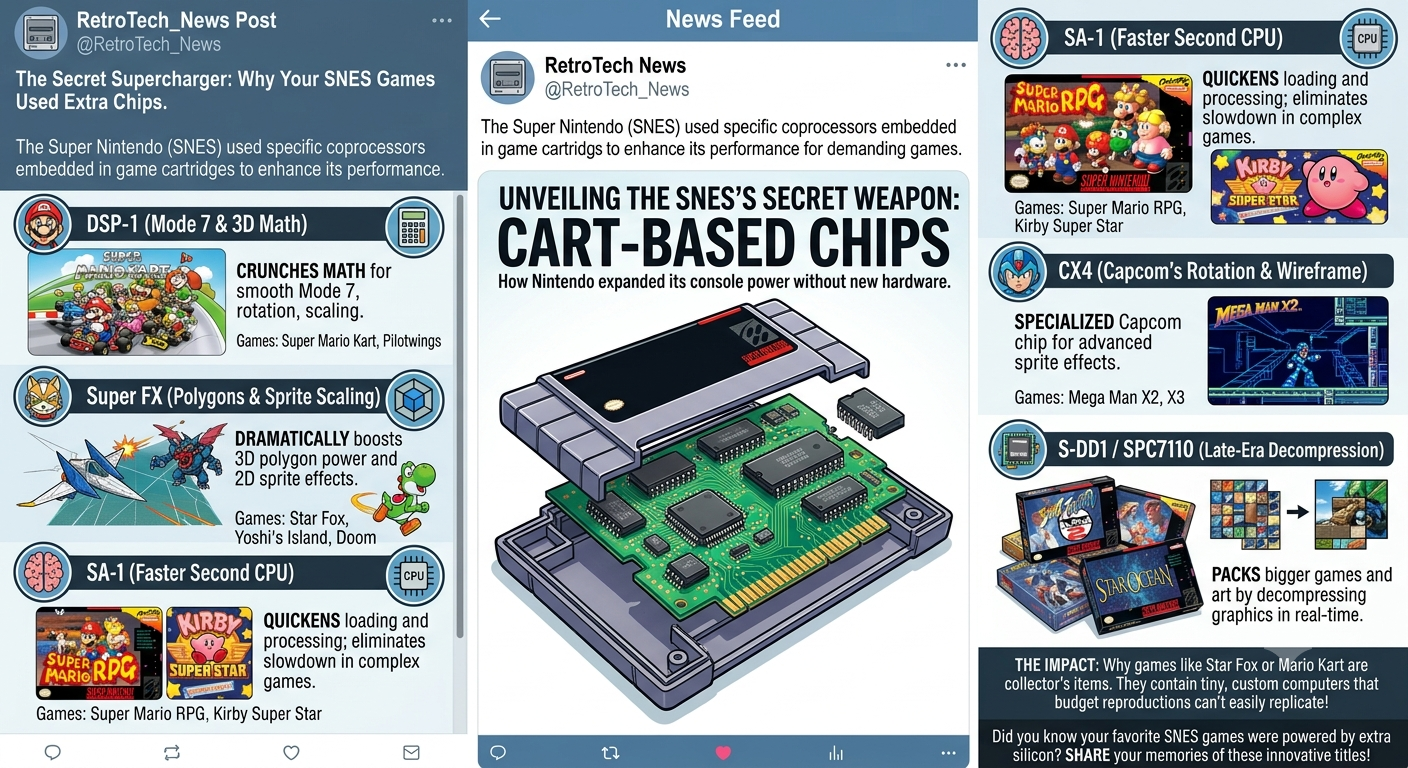
    The SNES used enhancement chips inside certain cartridges to push graphics, math, and compression beyond the base hardware. Here is a practical list of notable titles that require specific support:

    DSP series (supported on Super EverDrive X6 and FXPAK Pro)

    • Super Mario Kart
    • Pilotwings
    • Super Bases Loaded 2 / Super 3D Baseball
    • Ballz 3D
    • Top Gear 3000
    • Dungeon Master (DSP-2)
    • SD Gundam GX (DSP-3)
    • Various Japanese racing and sports titles (Shutokou Battle series, Suzuka 8 Hours, etc.)

    Super FX / GSU (FXPAK Pro)

    • Star Fox / Starwing
    • Super Mario World 2: Yoshi’s Island
    • Doom
    • Stunt Race FX / Wild Trax
    • Vortex
    • Dirt Trax FX / Dirt Racer
    • Winter Gold

    SA-1 (FXPAK Pro)

    • Super Mario RPG: Legend of the Seven Stars
    • Kirby Super Star
    • Kirby’s Dream Land 3
    • Dragon Ball Z: Hyper Dimension
    • Various Japanese RPGs, sports, and strategy games (Derby Jockey 2, PGA Tour titles, etc.)

    Cx4 (FXPAK Pro)

    • Mega Man X2 / Rockman X2
    • Mega Man X3 / Rockman X3

    S-DD1 (FXPAK Pro)

    • Street Fighter Alpha 2 / Street Fighter Zero 2
    • Star Ocean

    Other notable chips (FXPAK Pro)

    • OBC-1 → Metal Combat: Falcon’s Revenge
    • S-RTC → Daikaijuu Monogatari II
    • ST010 → F1 ROC II: Race of Champions
    • SPC7110 → Tengai Makyou Zero (Far East of Eden Zero) and a couple of others

    The FXPAK Pro also supports MSU-1 patches, which add high-quality audio and sometimes full-motion video to many classic games.

    Practical Buying Advice for American Collectors

    1. Buy official from krikzz.com or authorized U.S. resellers (Stone Age Gamer is a popular one) if you want warranty and long-term support.
    2. If budget is tight, research specific AliExpress sellers carefully—look for recent reviews mentioning SA-1 and Super FX titles working. Avoid the absolute cheapest listings.
    3. Always use a high-quality, name-brand microSD card formatted to FAT32.
    4. Remember: these devices are intended for backups of games you legally own.

    Whether you choose the budget-friendly Super EverDrive X5/X6 route or go all-in with the FXPAK Pro, a good flash cart transforms the original Super Nintendo / Super Famicom into a complete library machine while preserving the authentic hardware feel that emulators can’t fully replicate.

    Happy gaming—and may your save files never corrupt!

  • The Ultimate Guide to Charging Retro Handheld Consoles: 5V 2A vs 9V+ Power Delivery

    Signature: UQlTOqV64obbdMOfhXPxKMqi1z/bzx8puUEdfnGMTLwK0WJ87D0VliQsoJxRIO3ULFTS+Bh3vk9p9VtxY+cFa4giwSDsm0jSjriN0maFMD4rmBmdZfqf/P5N9P3GM3ICBViswp52YQchxOr+Bgs6SRHW1kx/usVeLUhTR23KXeP0oSn3y2TnKtwNWBsjLcLysGBvCDn2Pn6zFEEDUr7KGpq5O7k3vl22CscHpT31/ac9D9awBUn2HFLBrzje6ldMrjW1l5zz9A/mohvrCQof1ImrN9Yn5E3OeDyRaVnoneOAqmEp8JdE3ydgCUqfwNPsFEFD6qhoHMhVLsk7xTRwYkxCDYPDZvZZmqvYsqpY6cOBDN/1wZ4uPc7HDCcA+Ten4CGN0kbhFb01D0SWs6zrWA8xSORH9Uu5uOj19U+OiX2t26OHozbPMChPHU7Iii13kI9PoWNTufeFkqSFQQqIEc0T1YDW/Fv1SF4ZCBBBpN8KOOEA/UZ5WZs2ZJEnWSAIeae9onyOvsf9SQ2Uz29VPtR3R8Gdbo0hZvjt4FIq3uckJqHmhqfADoOGx7rCpPKL/8yHVJBdciweTI7ZNP77lsRXFWsCVLenmYvObvP+JatKXPWErTnMllt9WI0cjhNzy2qINu8VlGhcZlSuCs3OUq5Bw81gUIM4kZzGJJqa8HuMQ7k1XCReOzdjpavgGECF79WL7fOWlUAuFPCC37AzRTpdnN20nVhfqbQWX2Mvg5UJS1W3Pm4eE+sScAitU42Lhx2XjJwsBDbIN4z0+AfXa2eQqLu+Uk+9zK3ikeRc5r9JpEVTKwHw5m7aFHZPQklyEg58Aw9VkeeejiJjnsELUE7d+KNUcijKiuwjmDgvshc9lOXMCS1VbtzluHi4F9mD1oiTxfvR61Pdlqo9ECiH4inQjwgmz7s44G+lVVpnlh582wV6yI1fILc/dHLLv4MagPZnkeK7zRizgeUcevXYzQfEJk9YJ5UDk2F4obbiNHs=

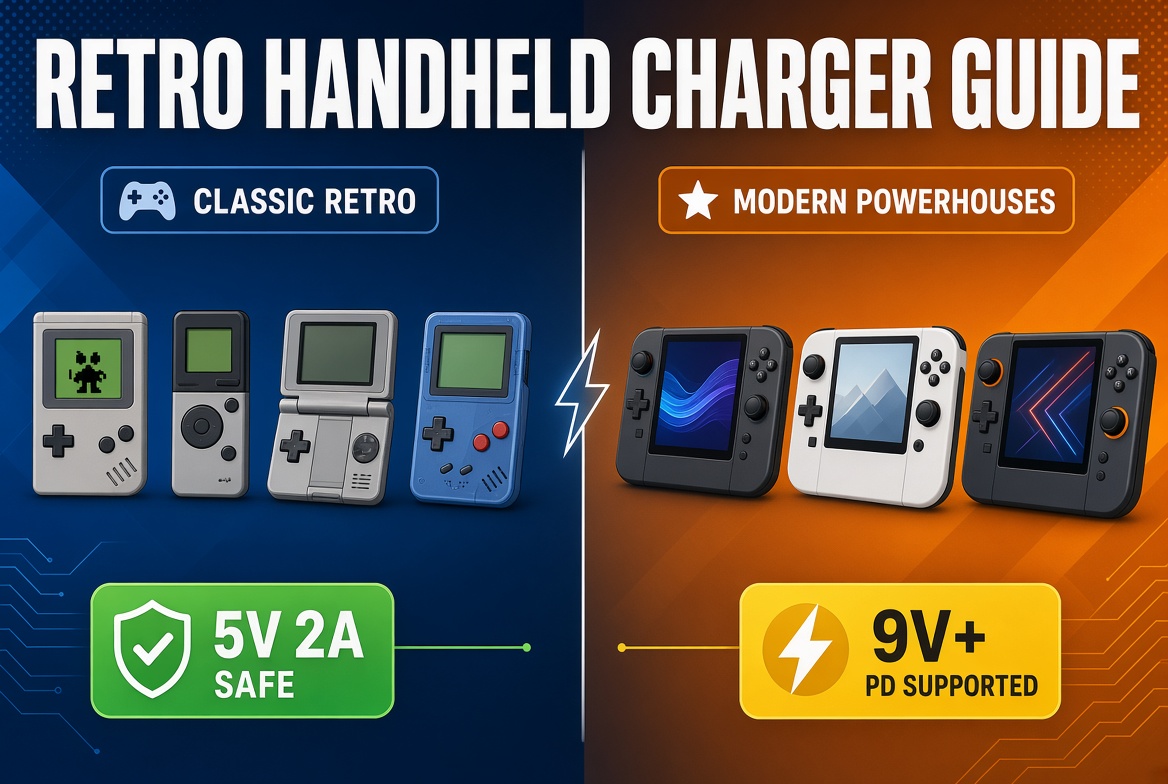
    Learn the safe way to charge your retro gaming handhelds. Older devices need 5V 2A chargers, while modern models like Retroid Pocket 5, AYN Odin 2, and Anbernic RG477M support 9V+ PD fast charging. Avoid damaging your device with the wrong adapter.
    If you own a retro handheld emulator console, choosing the right charger is more important than most people realize. Using the wrong power adapter can slow charging, generate excess heat, or in rare cases damage the battery or charging circuit. This guide breaks down exactly what voltage and amperage your device needs, so you can charge safely and efficiently.

    Why Voltage Matters More Than You Think

    Most modern smartphones and tablets support USB Power Delivery (PD) and can negotiate higher voltages (9V, 12V, 15V, etc.). Many retro handhelds, especially budget and mid-range models from Anbernic, Miyoo, and older Retroid devices, are designed around a simple 5V input.

    These devices often lack robust voltage negotiation. When a high-wattage PD charger tries to push 9V or higher, the handheld’s charging IC may not handle it properly. Community reports and manufacturer recommendations consistently point to the same safe baseline for traditional retro handhelds:

    • 5V / 2A (10W) is the sweet spot.

    Higher amperage at 5V (for example 5V/3A) is usually fine because the device only draws what it needs. The critical rule is: do not exceed 5V on devices that are not explicitly rated for higher voltages.

    Classic & Older Retro Handhelds → Stick to 5V 2A

    This category includes most devices released before the high-performance Snapdragon and Dimensity era:

    • Anbernic RG35XX series, RG28XX, RG40XX, etc.
    • Miyoo Mini / Mini+ / Flip
    • Older Retroid Pocket models (RP2, RP3, RP4 non-Pro in many cases)
    • Powkiddy, TrimUI, and similar budget Linux or Android handhelds

    Recommended charger: A basic USB-A wall charger rated 5V 2A (or 5V 2.1A / 2.4A). These are the same inexpensive brick chargers that came with older Android phones and tablets.

    Avoid:

    • Phone fast chargers that advertise 18W, 25W, 45W, or higher
    • USB-C to USB-C cables connected to laptop or high-power PD bricks (unless you confirm the device stays at 5V)
    • Cheap no-name “fast charge” adapters with unclear voltage output

    Using a pure 5V 2A charger keeps temperatures lower and is gentler on the battery over the long term.

    Modern High-Performance Handhelds → 9V and Higher Is Supported

    Starting around late 2024–2025, several flagship Android handhelds added proper USB Power Delivery support. These devices can safely request and use 9V (and sometimes higher) for significantly faster charging.

    Confirmed models that support 9V+ PD charging:

    • Retroid Pocket 5 and newer (up to 27W)
    • AYN Odin 2 and newer (PD up to ~27W; some units report higher peaks)
    • Anbernic RG477M and higher (explicitly listed as 5V/9V – 27W)

    On these devices you can use:

    • Any reputable USB-C PD charger rated 18W or higher
    • Official Retroid 35W charger
    • Quality brands such as Anker, Baseus, UGREEN, or Samsung 25W/45W PD chargers

    Fast charging is convenient, but it generates more heat. For maximum battery longevity, many owners still prefer a 15–20W PD charger instead of pushing the full 27W every time.

    Quick Reference Chart

    Device CategorySafe VoltageRecommended PowerNotes
    Older / Budget Retro Handhelds5V only5V 2A (10W)Avoid PD fast chargers
    Retroid Pocket 5 and newer5V / 9V+18–27W PDOfficial 35W charger available
    AYN Odin 2 and newer5V / 9V+18–27W PDNon-PD limited to ~10W
    Anbernic RG477M and higher5V / 9VUp to 27WConfirmed 5V/9V support

    Practical Tips for Safe Charging

    1. Check the official specs first. Look for “Charging” or “Input” in the manual or product page.
    2. Prefer the cable that came with the device when possible. Some older Anbernic units are happier with USB-A to USB-C than USB-C to USB-C.
    3. Charge while the device is powered off or in sleep mode when possible — it reduces heat.
    4. Avoid third-party ultra-cheap chargers with no safety certifications.
    5. If your device feels unusually hot while charging, unplug it immediately and switch to a lower-wattage 5V adapter.

    Final Recommendation

    • Own an older or budget retro handheld? Keep a dedicated 5V 2A charger in your bag. It’s the safest and most reliable option.
    • Own a Retroid Pocket 5, Odin 2, RG477M or newer high-end model? Feel free to use a proper 9V+ PD charger for faster top-ups.

    Matching the right charger protects your investment and keeps your library of classic games ready whenever you want to play. Happy retro gaming!

  • SNES 1CHIP Explained: Why Collectors Prefer It and How to Identify One

    Super Famicom / SNES 1CHIP: Why Collectors Hunt It and How to Spot One

    The Super Nintendo Entertainment System (SNES) and its Japanese counterpart, the Super Famicom, went through multiple motherboard revisions during their long production run. The most talked-about change arrived around 1995 when Nintendo combined the main CPU and the two Picture Processing Units (PPU1 and PPU2) into a single custom chip. These later boards are known as 1CHIP models (labeled SNS-CPU-1CHIP-01, -02, or -03).
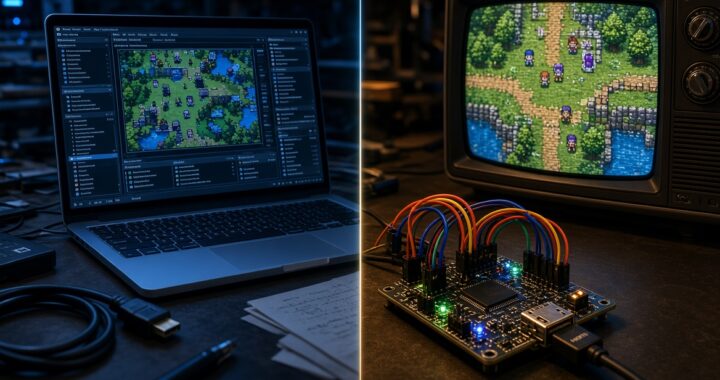
    For many retro enthusiasts who care about video quality—especially when using RGB SCART cables, upscalers like the OSSC or RetroTINK, or high-end CRTs—the 1CHIP is the preferred original hardware.

    Main Advantages of the 1CHIP

    The biggest benefit is video quality.

    Earlier “2-chip” (or 3-chip) boards produced a noticeable horizontal blur or soft smear on RGB output. The separate video chips and the way the signal was processed created a low-pass filtering effect. The 1CHIP design eliminates most of that interference. The result is:

    • Sharper, cleaner pixel edges
    • Better contrast and more defined colors
    • Reduced horizontal smearing
    • A picture that looks closer to what modern emulation or FPGA cores deliver

    This difference is most obvious on RGB connections. On composite or RF the gap is smaller, but RGB is where the 1CHIP truly shines. Many collectors and content creators specifically seek 1CHIP units for cleaner capture and more accurate-looking gameplay on modern displays or high-quality CRTs.

    Other practical upsides include slightly lower power draw and a more modern single-chip architecture that generally ages well when capacitors are replaced.

    Important Caveats

    The 1CHIP is not perfect:

    • The stock RGB signal is often too bright, which can cause mild washing-out or ringing. A simple three-resistor mod (750 ohm) usually corrects this.
    • Some units show slight ghosting.
    • A small number of games have minor graphical quirks (rare top-line garbage or timing differences).
    • The final revision (1CHIP-03) does not output composite sync on the multi-out port by default, so you may need a sync-on-luma cable or a small restore mod.

    Despite these points, most people who prioritize sharp RGB still prefer a properly adjusted 1CHIP over earlier boards.

    How to Identify a 1CHIP Console

    1. Open the console (most reliable method) Use a 4.5 mm Gamebit screwdriver to remove the top shell. Look at the motherboard near the cartridge slot. You should see silkscreen text that clearly reads:

    • SNS-CPU-1CHIP-01
    • SNS-CPU-1CHIP-02
    • SNS-CPU-1CHIP-03

    (There are equivalent labels on Super Famicom and PAL boards.) You will also notice one large square chip (the S-CPUN) instead of the separate CPU + two PPU chips found on earlier boards.

    2. Serial number clues (North American SNES) Many 1CHIP units carry serial numbers starting with UN3. This is a strong indicator but not 100% proof—case swaps exist. Treat “UN3” as a useful filter when shopping online, then verify by opening the unit if possible.

    3. Expansion port check (quick external hint on some models) On the bottom of the console there is a small expansion door. On certain boards you can peek inside:

    • Three solder dots usually mean a 2-chip board.
    • A partial circular ring or different layout often indicates 1CHIP.

    This method is helpful but less definitive than reading the silkscreen.

    4. Super Famicom (Japanese) note Japanese Super Famicom units do not have a reliable external serial-number shortcut like the North American UN3 prefix. Opening the console is essentially required for confirmation.

    Quick Comparison

    FeatureEarly 2-Chip Boards1CHIP Boards
    Video ChipsSeparate CPU + PPU1 + PPU2Single integrated S-CPUN chip
    RGB SharpnessSoft / blurredNoticeably sharper
    Color & ContrastMore muted / smearedCleaner and more vibrant
    Brightness (stock)Generally balancedOften too bright (easy fix)
    Rarity & PriceCommon, cheaperLess common, higher demand
    Best ForMaximum compatibilityBest possible RGB picture

    Buying Tips for Collectors

    • Ask sellers for clear photos of the motherboard silkscreen. “1CHIP” claims without board photos should be treated cautiously.
    • If you plan to use RGB, a 1CHIP-01 or 1CHIP-02 is usually the easiest starting point. The -03 revision needs a bit more attention regarding sync.
    • Budget for a capacitor replacement and the brightness resistor mod if you want the best results.
    • The later SNES Jr. (SNS-101) also uses the same 1CHIP architecture and can look excellent once RGB is restored, though it lacks some original ports.

    The 1CHIP did not change how the Super Nintendo plays games in any dramatic way, but it did give the system a cleaner, sharper video output that many modern collectors value highly. Whether you are building a high-end RGB setup or simply want the best original-hardware picture possible, knowing how to identify and evaluate these late-production boards is one of the most useful skills in SNES collecting.

    If you already own a console and are unsure which revision you have, the safest answer is always the same: open it up and read the board.

  • Emulator vs FPGA: What’s the Real Difference and Does FPGA Actually Have Zero Latency?

    Retro gaming has exploded in popularity over the past decade. Collectors and casual players alike are no longer satisfied with just playing the games—they want the closest possible experience to the original hardware. This has created two dominant approaches: software emulators and FPGA-based recreations.
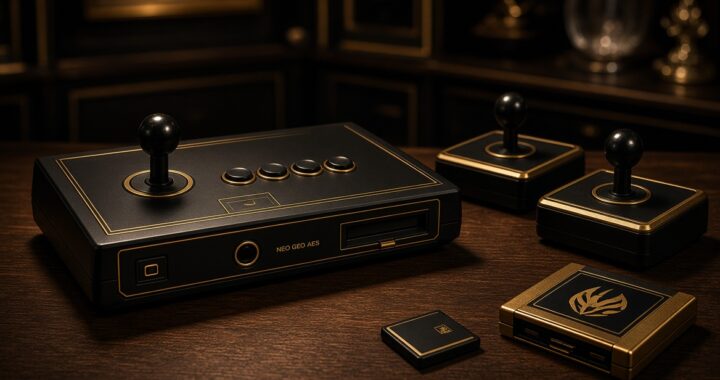
    If you’ve spent any time in the retro community, you’ve probably heard people claim that FPGA systems have “zero latency” while emulators are laggy by nature. But is that actually true? Let’s break down the real differences between emulators and FPGA, and take a closer look at the latency question.

    What Is a Software Emulator?

    A software emulator is a program that runs on a modern computer, phone, or handheld and simulates the behavior of an old game console’s hardware. Popular examples include RetroArch, DuckStation, PCSX2, Dolphin, and Mesen.

    Emulators work by interpreting or translating the original console’s instructions into something a modern CPU can understand. The better the emulator, the more accurately it recreates the original system’s timing, graphics quirks, and sound behavior.

    Pros of emulators:

    • Extremely convenient and inexpensive (or free)
    • Easy access to save states, rewind, upscaling, and shaders
    • Can run on almost any modern device
    • Constantly improving accuracy through community development

    Cons of emulators:

    • Input lag can vary depending on the host system, display, and settings
    • High-accuracy (especially cycle-accurate) emulation is very demanding on hardware
    • Some systems are still not perfectly emulated

    What Is FPGA Recreation?

    FPGA stands for Field-Programmable Gate Array. Instead of simulating the original hardware with software, an FPGA is a reconfigurable chip that can be programmed to behave like the original console’s custom chips at a hardware level.

    Projects like the MiSTer FPGA, Analogue Pocket, Analogue Nt Mini, and Analogue Super Nt use this approach. Rather than “pretending” to be a console, the FPGA is wired to function as a near-clone of the original silicon.

    Pros of FPGA:

    • Extremely high hardware accuracy
    • Consistent, predictable performance
    • Very low input lag when properly configured
    • No reliance on a powerful host CPU

    Cons of FPGA:

    • More expensive than running emulators
    • Limited to the cores that have been developed
    • Less convenience features (save states, rewind, etc. are often limited or absent)
    • Requires more technical knowledge to set up (especially MiSTer)

    Key Differences at a Glance

    AspectSoftware EmulatorFPGA Recreation
    MethodSoftware simulationHardware reimplementation
    AccuracyVaries (good to excellent)Extremely high
    LatencyCan be low with tuningConsistently very low
    ConvenienceExcellentModerate
    CostLow / FreeHigh
    Hardware DemandHigh for accuracyLow once configured
    Future-proofingDepends on software supportDepends on core development

    Does FPGA Really Have Zero Latency?

    This is the claim that gets repeated the most—and it’s also the most misunderstood.

    The short answer is: No, FPGA does not have true zero latency. But it comes much closer to the original hardware experience than most people realize.

    Here’s why the “zero latency” claim exists:

    1. No software buffering layers Emulators run on top of an operating system. Even well-optimized ones have to deal with the host OS’s input polling, frame buffering, and display pipeline. FPGA cores talk more directly to the video output and controllers.
    2. Cycle-accurate timing High-quality FPGA cores recreate the original console’s timing down to the clock cycle. This means the relationship between controller input and on-screen response is extremely close to the original hardware.
    3. Lower display lag in practice When paired with a low-lag display (or a CRT), FPGA systems often measure under 1–2 frames of total lag from button press to pixel response. Many software emulators, even with run-ahead and frame delay enabled, struggle to match this consistency across different systems.

    However, “zero latency” is marketing language. Every digital system has some delay:

    • Controller polling still takes time
    • HDMI signal processing adds a small amount of lag
    • Modern LCD/OLED panels have their own response times
    • Even original hardware on a CRT was never truly “zero lag”

    What FPGA actually delivers is latency that is consistently very close to original hardware, and often lower than the average software emulator setup in the real world.

    It’s also worth noting that modern emulators have closed the gap significantly. Features like run-ahead, frame delay, and rollback netplay mean that a well-tuned emulator on a powerful PC can feel extremely responsive—sometimes even better than original hardware in certain cases. The difference is that FPGA achieves this consistency with far less tuning and system load.

    Which One Should You Choose?

    There’s no universal winner. It depends on what you value most.

    Choose FPGA if:

    • You want the closest possible experience to original hardware
    • Low and consistent latency is a top priority
    • You’re willing to invest more money and time into setup
    • You mainly play systems that have mature FPGA cores (NES, SNES, Genesis, Neo Geo, etc.)

    Choose emulators if:

    • You want convenience, portability, and features
    • You play a wide variety of systems (including more modern ones)
    • Budget is a concern
    • You enjoy tweaking settings and shaders

    Many serious retro enthusiasts end up using both. FPGA for the systems they care about most, and emulators for everything else.

    Final Thoughts

    The emulator vs FPGA debate often gets oversimplified into “FPGA is perfect, emulators are laggy.” Reality is more nuanced. FPGA offers outstanding accuracy and very low, consistent latency that closely matches original hardware. Emulators continue to improve rapidly and remain the most accessible way to play classic games.

    If your goal is the purest possible experience with minimal lag, a well-set-up FPGA system is currently the closest thing we have to owning the original console—without the reliability issues of 30- to 40-year-old hardware. But for most players, a carefully configured emulator will still deliver an excellent experience.

    The best approach is simply to try both and decide based on how it feels to you.

  • The Legendary Neo Geo AES: Launch Price, Pack-In Games, and Early vs. Later Model Differences

    When SNK launched the Neo Geo AES (Advanced Entertainment System) in the early 1990s, it wasn’t just another home console. It was an arcade machine for your living room — the same hardware that powered SNK’s Multi Video System (MVS) cabinets. For American gamers who could afford it, the Neo Geo delivered true arcade-perfect gameplay at a time when most home systems were still making compromises.
    Launch Price: The Most Expensive Console of Its Era

    In North America, the Neo Geo AES officially went on sale on July 1, 1991. SNK positioned it as a premium product from day one.

    The flagship package was known as the Gold System, which retailed for $649.99. That price included:

    • The console itself
    • Two large arcade-style joystick controllers
    • A memory card
    • One pack-in game

    A more affordable Silver System was also offered at $399.99. It came with only one controller and no pack-in game.

    Individual game cartridges launched at around $200 and quickly climbed higher — some titles eventually sold for $300–$600 new. Adjusted for inflation, the Gold System’s $650 price tag equals well over $1,500 in today’s money. This made the Neo Geo the most expensive home console ever released at the time and limited its audience to serious enthusiasts and collectors.

    Games Released Alongside the Console

    The Neo Geo’s early software library was small but high-quality. Several titles that had already proven themselves in arcades (or were developed simultaneously for both MVS and AES) arrived near the console’s retail launch.

    Key early titles associated with the system’s debut period include:

    • Magician Lord — Frequently cited as the most common pack-in game for the Gold System in the U.S. (early boxes even carried a gold sticker highlighting its inclusion). A colorful side-scrolling action-platformer that showcased the system’s graphics and sound.
    • NAM-1975 — A run-and-gun shooter set during the Vietnam War era.
    • Baseball Stars Professional — A sports title that was originally planned as a possible pack-in option.
    • Top Player’s Golf
    • Riding Hero
    • Cyber-Lip
    • The Super Spy
    • Ninja Combat

    These games demonstrated what the Neo Geo could do that other 16-bit systems of the era could not: large, colorful sprites, smooth animation, and arcade-accurate sound. Because the AES used the exact same hardware as the MVS arcade boards, there was no “porting” quality loss — what you played at home was identical to the coin-op version.

    Early vs. Later Neo Geo AES Models: What’s the Difference?

    Although the Neo Geo AES hardware remained functionally the same throughout its life (1990–1997), SNK made several revisions over the years. Collectors and enthusiasts often distinguish between early and later models based on these changes.

    1. Power Supply and Power Consumption

    • Early models used a DC 5V power adapter and consumed around 8 watts.
    • Later revisions switched to a DC 9V adapter and dropped power consumption to approximately 5 watts. This is one of the most reliable ways to identify the era of a console.

    2. Motherboard Revisions SNK produced multiple motherboard revisions (commonly referred to by collectors as AES3-1 through AES3-6 and similar designations).

    • Very early boards sometimes included additional daughterboards to improve video output clarity.
    • Mid-period revisions (particularly 3-3 and 3-4) had cost-cutting changes that removed certain capacitors from the audio circuit. This resulted in slightly degraded or unbalanced sound on some units. Later revisions (3-5 and beyond) restored the missing components.
    • Overall video quality and RGB output can vary slightly between revisions, which is why many collectors prefer later boards or perform simple capacitor fixes on earlier ones.

    3. Cartridge Capacity Support The original system specification advertised “Max 330 Mega.” As games grew larger later in the system’s life, SNK introduced bank-switching techniques that allowed cartridges up to 716 megabits. Later consoles handled these larger “Giga Power” cartridges without issue, while the hardware itself remained compatible with all earlier titles.

    4. Cosmetic and Packaging Differences Early U.S. units were often sold in the Gold System packaging with the distinctive gold sticker. Later production runs and regional variations showed minor changes in labeling, box art, and included accessories. A limited gold-colored console was also produced in small numbers (primarily for the Japanese market).

    In practical terms, every official Neo Geo AES can play the entire library. The differences are mostly about build quality, power efficiency, audio fidelity on certain revisions, and long-term reliability. Many modern collectors prefer later revisions for their refined audio circuits and lower power draw.

    Why the Neo Geo Still Matters

    The Neo Geo AES never competed on volume with the Super Nintendo or Sega Genesis. Its high price kept it in a niche. Yet that same exclusivity helped create one of the most respected and collectible libraries in retro gaming. Titles such as Fatal Fury, Art of Fighting, Samurai Shodown, and later Metal Slug and The King of Fighters series turned the system into a legend.

    For American retro gaming fans today, original AES hardware remains the purest way to experience these games without emulation. Understanding the launch price, the early software lineup, and the subtle differences between early and later models helps collectors make informed decisions and appreciate just how ambitious SNK’s vision was in 1991.

    Whether you’re hunting for a clean later-revision console or simply want to know why a 30-year-old system still commands respect, the Neo Geo AES stands as a high-water mark of arcade-to-home translation.

  • The Day the World Changed: Remembering the Mind-Blowing Debut of the Original Game Boy

    T

    There is a distinct nostalgia that only kids of the late ’80s and early ’90s will truly understand. It was the era of CRT televisions, wired controllers, and being tethered to a living room carpet if you wanted to play video games.

    Then, in 1989, Nintendo dropped a chunky, grey brick into our hands—and suddenly, the universe expanded.

    The original Nintendo Game Boy (DMG-01) wasn’t just a new gadget; it was a cultural shift. Looking back today, it’s hard to fathom how a tiny olive-green monochrome screen could captivate an entire generation. But at the time, it felt like absolute magic.

    The Unforgettable Ritual: 4 AA Batteries and Pure Freedom

    Before the Game Boy, gaming was strictly an indoor activity. You had to ask permission to use the family TV, hook up the NES, and stay within six feet of the console.

    The Game Boy shattered those boundaries. The magic started with a simple, incredibly satisfying ritual:

    1. Sliding open the heavy battery door on the back.
    2. Snapping in four AA batteries (and praying they were fresh Duracells).
    3. Sliding the heavy power switch on top, hearing that legendary “Ba-ding!” as the Nintendo logo descended down the screen.

    Suddenly, you weren’t trapped in your living room anymore. You were playing Super Mario Land on the school bus, in the backseat of a family station wagon during endless road trips, or sitting outside on the front porch under the summer sun.

    Super Mario and Tetris in the Palm of Your Hand

    The pack-in game, Tetris, along with Super Mario Land, redefined what a portable experience could be.

    Hearing that iconic Soviet-inspired Tetris chiptune blasting from the tiny, tinny mono speaker felt surreal. You weren’t playing a dumbed-down LCD game like the Game & Watch; you were playing a full-fledged video game with tight controls, endless replayability, and soundtrack tunes that stay stuck in our heads three decades later.

    Super Mario Land proved that an entire platforming kingdom could fit inside your pocket. Guiding Mario past crumbling blocks and flying enemies while sitting in a dentist’s waiting room felt like living in the future.

    How Did We Play for Hours on That Blurry Screen?

    If you hand an original Game Boy to a kid today, their first reaction is usually confusion:

    “Where is the backlight? Why is everything green? How can you even see this?”

    Let’s be honest: by modern standards, that original STN LCD screen was brutal. There was no built-in backlight. If you moved the console too fast, the pixels left a blurry ghost trail across the screen.

    So how on earth did we spend 4 to 5 hours straight staring at that tiny, contrast-deprived display without our eyes falling out?

    1. The Art of “Light Hunting”

    We became experts in physics and light angles without realizing it. We constantly tilted the Game Boy toward streetlamps, bedroom nightlights, or sunlight streaming through the car window. Remember those ridiculous clip-on magnifying glasses with built-in lights (like the Worm Light or Light Boy)? They were clunky, but they were our lifesavers.

    2. Pure, Unadulterated Imagination

    Back then, graphics weren’t expected to look like real life. Our brains easily filled in the gaps. A few dark green pixels were a fully realized Goomba; a crude square was a falling Tetromino block. The immersion came from the gameplay loop, not the resolution.

    3. The Novelty of Portability Overrode Everything

    The sheer shock of having interactive entertainment on the go was so powerful that eye strain simply didn’t matter. The temporary headache was a small price to pay for gaming absolute freedom.

    A Timeless Icon of Gaming History

    Today’s portable consoles—like the Nintendo Switch or Steam Deck—boast OLED screens, 4K dockability, and graphics that rival cinema. Yet, none of them will ever match the sheer seismic impact of the original Game Boy.

    It transformed video games from a home pastime into a lifestyle. It proved that great games don’t need millions of colors or backlit displays—they just need great design, a couple of buttons, and four reliable AA batteries.

    To anyone who survived the non-backlit screen era: we were true pioneers.

  • Virtua Fighter vs. Tekken: The 3D Fighting Rivalry That Decided the 32-Bit Console War

    Introduction: The Dawn of the 3D Fighting Era

    In the mid-1990s, the video game industry underwent its most violent paradigm shift. The 2D sprite-based arcade era—once dominated by Capcom’s Street Fighter II and Midway’s Mortal Kombat—was rapidly yielding to the raw potential of real-time 3D polygonal graphics.
    At the epicenter of this revolution stood two arcade juggernauts: Sega’s Virtua Fighter and Namco’s Tekken.

    When home consoles stepped into the 32-bit generation in 1995, these two flagship franchises became the ultimate ideological weapons in the home console war. Sega placed its bets on bringing Yu Suzuki’s pioneering arcade masterpiece to the Sega Saturn, while Sony relied on Namco’s high-octane Tekken port to establish the Sony PlayStation (PS1) as a household name.

    The battle between Virtua Fighter and Tekken was far more than a simple comparison of martial arts mechanics. It was a war over hardware architecture, brand strategy, and the cultural future of interactive media.

    Here is the deep dive into how these two iconic fighters clashed—and why one ultimately secured the throne of the 32-bit era.

    1. The Pioneer: Virtua Fighter and the Sega Saturn Promise

    To understand the 32-bit war, one must first recognize the sheer shock factor of Yu Suzuki’s original arcade release of Virtua Fighter in late 1993. Created by Sega AM2, it was the world’s first fully 3D fighting game.

    +--------------------------------------------------------------------------+
    | VIRTUA FIGHTER (SEGA SATURN, 1995)                                       |
    | Developer: Sega AM2 (Yu Suzuki)                                          |
    | Core Philosophy: Realism, fluid weight dynamics, martial arts accuracy.  |
    | Control Scheme: 3-Button Setup (Punch, Kick, Guard).                    |
    +--------------------------------------------------------------------------+
    

    The Japanese Phenomenon

    In Japan, Virtua Fighter was a cultural religion. Players marvelled at human martial artists rendered in flat-shaded 3D polygons executing authentic Hakkokyoken, Jeet Kune Do, and Pro Wrestling moves.

    When Sega ported Virtua Fighter as a launch title for the Sega Saturn in Japan, it drove unprecedented console sales. In late 1994, Saturn units flew off retail shelves in Tokyo largely due to the desire for an “arcade-at-home” experience.

    The Hardware Reality Check

    However, translating Sega’s expensive Model 1 arcade hardware to the home Saturn system proved challenging:

    • The original Saturn port suffered from noticeable visual compromises, including flickering polygons, clipping errors, and simplified background textures.
    • Sega later redeemed itself with Virtua Fighter Remix and the visually stunning Virtua Fighter 2 (which ran at a silky-smooth 60 frames per second at a high 704×480 resolution), proving the dual-CPU Saturn could handle complex 3D math when pushed to its limits.

    2. The Challenger: Tekken and the PlayStation Powerhouse

    While Sega was perfecting technical martial arts realism, Namco—a long-time arcade rival—was developing its own 3D fighting engine on arcade hardware built directly on Sony’s early PlayStation architecture (the System 11 board).

    +-------------------------------------------------------------------------+
    | TEKKEN (SONY PLAYSTATION, 1995)                                         |
    | Developer: Namco (Seiichi Ishii)                                        |
    | Core Philosophy: Stylized action, juggle combos, cinematic drama.      |
    | Control Scheme: 4-Button Setup (Left Punch, Right Punch, L-Kick, R-Kick).|
    +-------------------------------------------------------------------------+
    

    Why Tekken Captivated Western Audiences

    Released on the PS1 in North America in November 1995, Tekken took a radically different approach to 3D fighting:

    1. Intuitive Limb Control: Namco assigned each of the four face buttons on the PS1 controller directly to an individual limb (Left Punch, Right Punch, Left Kick, Right Kick). This made picking up the controller instantly intuitive for casual players.
    2. Cinematic Flair and Juggles: Rather than strict grounded martial arts, Tekken embraced exaggerated bounce physics, high-damage juggle combos, and flashy particle hit-sparks.
    3. CD-ROM CGI Cutscenes: Capitalizing on the PS1’s CD-ROM storage capacity, Namco included full-motion video (FMV) ending cinematics for every character, turning fighters like Kazuya Mishima, Paul Phoenix, and King into iconic pop-culture figures.

    3. Head-to-Head Comparison: Mechanics, Graphics, and Presentation

    To understand how these titles shaped consumer decisions in 1995–1998, we must compare their foundational mechanics side by side.

    Feature / DimensionVirtua Fighter Series (Saturn)Tekken Series (PlayStation)
    Pacing & GameplayMethodical, grounded, precision timingFast-paced, aggressive, juggle-heavy
    Control Layout3 Buttons (Punch, Kick, Guard)4 Buttons (One button per limb)
    Visual AestheticClean, realistic martial arts animationStylized character models with flashy hit effects
    Home FeaturesPure arcade conversion focusRich unlockable modes, mini-games, FMV endings
    Hardware FitPushed Saturn’s VDP1/VDP2 dual processorsNative match for PS1’s Geometry Engine

    4. The Turning Point: Tekken 3 vs. Virtua Fighter 3

    The decisive moment in the battle for 3D fighting dominance arrived in 1997–1998 during the mid-lifecycle of both systems.

    Virtua Fighter 3 and the Saturn’s Tragic Omission

    Sega AM2 released Virtua Fighter 3 in arcades on their legendary Model 3 hardware, featuring undulating uneven terrain, real-time dodge mechanics, and breathtaking character models.

    However, the hardware requirements were so demanding that the Sega Saturn simply could not handle a port without severe downgrades. A promised Saturn version was delayed repeatedly and ultimately canceled, leaving Saturn owners without the pinnacle chapter of the series.

    Tekken 3: The PlayStation Masterpiece

    Conversely, Namco achieved what many thought impossible on home consoles with Tekken 3 in 1998.

    +-------------------------------------------------------------------------+
    | TEKKEN 3 (PLAYSTATION, 1998)                                            |
    | Widely cited as one of the greatest video games of all time.            |
    | Features: True 3D sidestepping, 60fps animations, Tekken Force Mode,     |
    | Tekken Ball Mode, and over 20 playable characters.                      |
    +-------------------------------------------------------------------------+
    

    By employing clever technical tricks—such as using detailed pre-rendered backgrounds with highly optimized 3D character models—Namco delivered an arcade-accurate experience that sold over 8.3 million copies on the original PlayStation worldwide. It cemented the PS1 as the undisputed home of 3D fighting games.

    Conclusion: Who Won the 32-Bit Fighting War?

    When evaluating the legacy of both franchises, the outcome depends on whether you measure success by pure game design influence or commercial dominance.

    • The Design Champion (Virtua Fighter): Virtua Fighter remains the intellectual founding father of all 3D fighting games. Without Yu Suzuki’s breakthrough, 3D fighting mechanics might have been delayed by years. Its deep, uncompromising physics continue to command respect among hardcore fighting game purists.
    • The Commercial & Cultural Victor (Tekken on PS1): In terms of winning the 32-bit console war, Tekken and the PlayStation claimed a decisive victory. Namco’s accessible limb-based controls, cinematic FMV storytelling, and flawless technical optimization proved that home console ports could transcend their arcade origins and define mainstream youth culture.

    Together, these two extraordinary franchises pushed 32-bit hardware to its absolute limits, transforming polygon technology from an experimental novelty into the dominant artistic medium of modern gaming.

    Frequently Asked Questions (FAQ)

    Q1: Did Sega ever release Virtua Fighter 3 on a home console?

    Yes! While canceled on the Sega Saturn, Sega released Virtua Fighter 3 tb as a flagship launch title for the 128-bit Sega Dreamcast in Japan in 1998 and North America in 1999.

    Q2: Why was Tekken easier to port to the PlayStation than Virtua Fighter was to the Saturn?

    Namco developed the Tekken arcade system (Namco System 11) using architecture closely based on actual PS1 hardware components. This hardware synergy made porting Tekken to the PS1 straightforward, whereas Sega’s Model 1 and Model 2 arcade boards used vastly different architecture than the dual-CPU Saturn.

    Join the Discussion

    Were you team Virtua Fighter on the Sega Saturn or team Tekken on the original PlayStation back in the 1990s? Which character was your ultimate main? Drop your nostalgic memories in the comments below!

  • The Tragedy of 1995: How the Sega Saturn Fought the Original PlayStation

    Introduction: The Dawn of the 32-Bit Console War

    In the mid-1990s, the video game industry was teetering on the edge of a massive generational shift. The 16-bit era, dominated by the fierce rivalry between the Sega Genesis and the Super Nintendo (SNES), was drawing to a close. As players demanded full-motion video, CD-quality audio, and real-time 3D environments, the stage was set for the 32-bit era.

    Fresh off the massive North American success of the Genesis, Sega of America felt poised to dominate the next generation. Their weapon of choice was the Sega Saturn—a powerhouse system engineered with state-of-the-art arcade hardware in mind.

    However, when the Saturn arrived in North America in May 1995, it encountered an unexpected juggernaut: Sony’s newcomer, the PlayStation (PS1).

    What followed was one of the most infamous marketing battles in interactive entertainment history—a story of corporate hubris, brilliant Japanese arcade engineering, architecture challenges, and an enduring cult legacy.

    Here is the complete history of how the Sega Saturn attempted to stand against the Sony PlayStation.

    1. The E3 1995 Debacle: A Surprise Launch Gone Wrong

    The rivalry between the Sega Saturn and the Sony PlayStation was forever defined by a single day: May 11, 1995, at the inaugural Electronic Entertainment Expo (E3) in Los Angeles.

    +--------------------------------------------------------------------------+
    | THE E3 1995 SHOWDOWN                                                     |
    | Sega Saturn:  Surprise Launch Today | $399 Price Tag | Limited Retailers |
    | Sony PS1:     Launching Sept 9th   | $299 Price Tag | Mass Distribution  |
    +--------------------------------------------------------------------------+
    

    The $399 Surprise

    Fearing that Sony’s upcoming September release would steal their momentum, Sega of America CEO Tom Kalinske took the stage at E3 and announced a stunning surprise: The Sega Saturn was not releasing in September as originally planned—it was in stores THAT VERY DAY.

    While intended as a marketing masterstroke, the surprise backfired catastrophically:

    1. Retailer Backlash: Sega had only shipped limited inventory to select retailers (such as Toys “R” Us and Software Etc.), infuriating major chains like KB Toys, who retaliated by refusing to stock the Saturn altogether.
    2. Game Drought: Software developers were caught completely unprepared, leaving store shelves practically empty of key titles at launch.
    3. The Legendary “$299” Drop: Hours later, Sony executive Steve Race walked up to the E3 podium, uttered a single word—“299”—and walked off. The PlayStation was not only releasing with a full library of games in September, but it was also $100 cheaper than the Saturn.

    2. Hardware Architecture: Dual-CPUs vs. Polygon Efficiency

    Inside the console, the Sega Saturn was a marvel of engineering, but its complex hardware design ultimately proved to be a double-edged sword.

    The Parallel Processing Nightmare

    To ensure the Saturn could outperform rival consoles, Sega installed two Hitachi SH-2 CPUs alongside multiple custom display processors.

    +-------------------------------------------------------------------------+
    | SEGA SATURN INTERNAL ARCHITECTURE                                       |
    | Twin Hitachi SH-2 32-bit RISC CPUs (28.6 MHz)                           |
    | VDP1 (3D Sprites/Quadrilaterals) & VDP2 (2D Backgrounds/Scrolling)      |
    | Custom 32-channel SCSP Sound Processor by Yamaha                        |
    +-------------------------------------------------------------------------+
    

    While twin processors gave the Saturn incredible theoretical power, software development tools in 1995 were not equipped for parallel processing. Most third-party programmers found it nearly impossible to utilize the second CPU efficiently, leading to early multi-platform games running significantly worse on the Saturn than on the PlayStation.

    Quadrilaterals vs. Triangles

    Furthermore, while Sony built the PlayStation around 3D triangles (the industry standard for 3D modeling), the Saturn rendered 3D objects using distorted 2D quadrilaterals (quads). Porting arcade and PC games to the Saturn required developers to completely rewrite their rendering pipelines.

    3. The 2D Crown: Why the Saturn Was a Pixel-Art Masterpiece

    While the Saturn struggled with early 3D multi-platform ports, it was an absolute monster when it came to 2D sprite graphics, scaling, and memory expansion.

    Thanks to its dedicated VDP2 background processor and the optional RAM Expansion Cartridges (1MB and 4MB) released in Japan, the Saturn rendered 2D arcade games with perfect frame rates and zero animation cuts.

    Saturn Genre MasterpieceKey Feature / Technical Achievement
    Virtua Fighter 2Crisp 60fps high-resolution 3D fighting at 704×480 resolution
    Panzer Dragoon II ZweiBreathtaking 3D rail-shooter visuals and sweeping orchestral audio
    Street Fighter Alpha 3Arcade-perfect 2D fighting using the 4MB RAM Expansion Cartridge
    Nights into Dreams…Innovative 3D analog flight mechanics designed by Sonic Team
    Saturn BombermanUnprecedented 10-player local battle mode support

    In genres like 2D fighting, vertical shoot-’em-ups (shmups), and tactical strategy, the Saturn did not just compete with the PlayStation—it decisively outperformed it.

    4. The Western Departure & The Japanese Phenomenon

    The destiny of the Sega Saturn split dramatically between regions:

    • In North America: Due to the disastrous $399 launch, a lack of a mainline 3D Sonic the Hedgehog platformer (following the cancellation of Sonic X-treme), and aggressive marketing by Sony, the Saturn struggled to gain traction, selling roughly 1.8 million units before being discontinued in 1998.
    • In Japan: The story was entirely different. Powered by iconic commercials starring the mascot Segata Sanshiro and an endless library of arcade fighting ports, anime RPGs, and visual novels, the Saturn was a massive commercial hit that rivaled the PlayStation for years, selling nearly 6 million units in Japan alone.

    Conclusion: The Cult Legacy of Sega’s 32-Bit Powerhouse

    Though the Sega Saturn ultimately lost the 32-bit console war to the Sony PlayStation in North America, history has been remarkably kind to Sega’s underdog system.

    Today, retro game collectors and hardware historians view the Sega Saturn as a high-water mark for 2D pixel art and arcade-to-home conversions. Games like Panzer Dragoon Saga, Radiant Silvergun, and Burning Rangers are celebrated as timeless masterpieces, command astronomical prices on the secondary market, and stand as monuments to Sega’s relentless innovation.

    The Saturn may have stumbled out of the gate in May 1995, but its bold hardware engineering and arcade spirit ensure its legacy will never be forgotten.

    Frequently Asked Questions (FAQ)

    Q1: Why was there no main 3D Sonic game on the Sega Saturn?

    Sega was developing an ambitious 3D platformer titled Sonic X-treme. However, internal engine disagreements, severe development crunch, and illness among core programmers led to the project’s tragic cancellation, leaving the system without a flagship Sonic adventure during the 32-bit era.

    Q2: Can a US Sega Saturn play Japanese Saturn cartridges?

    Not without assistance. While the CD-ROM drive is region-locked, players can easily bypass region restrictions by using a third-party utility cartridge (such as the Action Replay 4M Auto) inserted into the Saturn’s top cartridge slot.

    Join the Discussion

    Did you own a Sega Saturn or a Sony PlayStation back in 1995? What is your favorite Saturn memory or arcade port? Share your thoughts in the comments section below!

  • The Playstation Revolution: How Sony Disrupted Nintendo and Changed Gaming Forever

    Introduction: A Betrayal That Rewrote Gaming History

    In September 1995, the North American video game industry experienced a seismic shift from which it would never return. For over a decade, Nintendo had held an ironclad grip on the home console market, defining what video games looked like, sounded like, and how they were distributed.

    However, a fateful corporate rift in the early 1990s set the stage for one of the greatest revenge stories in business history.

    Originally, Sony had partnered with Nintendo to develop a CD-ROM add-on for the Super Nintendo Entertainment System (SNES)—a project codenamed the “Play Station.” But after Nintendo abruptly canceled the contract due to licensing disagreements, Sony executive Ken Kutaragi persuaded Sony’s leadership to build an independent, standalone gaming console.

    On September 9, 1995, the original Sony PlayStation (PS1) launched in North America for $299—a iconic price point announced with legendary brevity by Steve Race at E3 1995 that instantly undercut the $399 Sega Saturn.

    The launch of the PS1 did not just bring new hardware to retail shelves; it completely shattered Nintendo’s dominance, fundamentally transformed game publishing, and shifted video games from children’s toys into mainstream adult pop culture.

    1. The Media Revolution: CD-ROMs vs. ROM Cartridges

    The primary battleground between Sony and Nintendo came down to media format. While Nintendo stubbornly insisted on using silicon ROM cartridges for its upcoming Nintendo 64, Sony placed its entire future on CD-ROM technology.

    +--------------------------------------------------------------------------+
    | CARTRIDGE VS. CD-ROM (CIRCA 1995)                                         |
    | Nintendo Cartridge: ~64 MB Max | High Manufacturing Cost | Instant Load  |
    | Sony PS1 CD-ROM:    ~650 MB     | Ultra-Low Cost ($1/disc)| Rich Audio/FMV|
    +--------------------------------------------------------------------------+
    

    Why Developers Abandoned Nintendo for Sony

    1. Massive Storage Capacity: A single PlayStation CD-ROM stored up to 650 Megabytes of data—more than ten times the storage capacity of early N64 cartridges. This allowed developers to include orchestrated music, full-motion video (FMV) cutscenes, and extensive voice acting.
    2. Economic Flexibility: Manufacturing a Nintendo cartridge took up to two months and cost publishers around $30–$40 per unit. Producing a PlayStation CD took less than a week and cost roughly $1 per disc.
    3. Low Risk for Publishers: Low production costs meant publishers could take bold creative risks on niche genres without facing bankruptcy if a game failed to sell out its initial print run.

    2. The Great Migration: Final Fantasy VII and Third-Party Support

    The economic and technical advantages of the CD-ROM format triggered an unprecedented exodus of top-tier third-party developers from Nintendo to Sony.

    The turning point came when Square (now Square Enix) famously abandoned its decade-long loyalty to Nintendo to develop Final Fantasy VII exclusively for the PlayStation.

    +-------------------------------------------------------------------------+
    | THE FINAL FANTASY VII EFFECT (1997)                                     |
    | Spanned 3 CD-ROM discs filled with pre-rendered 3D backgrounds,          |
    | cinematic FMV sequences, and a sweeping orchestral soundtrack.           |
    | Sold over 10 million copies, cementing PS1 as the RPG capital of home gaming.|
    +-------------------------------------------------------------------------+
    

    When Final Fantasy VII launched in 1997, it proved that games could tell emotionally complex, cinematic stories that rivaled Hollywood blockbusters—something that was technically impossible on a 64MB Nintendo cartridge.

    Publishers like Capcom (Resident Evil), Konami (Metal Gear Solid, Silent Hill), and Namco (Tekken) quickly followed suit, creating iconic franchises that defined the 32-bit era on PlayStation.

    3. Redefining the Target Audience: From “Toys” to “Pop Culture”

    Before the PlayStation, video games in North America were heavily marketed toward children and young teenagers, often stocked strictly in toy aisles. Sony completely reimagined the target demographic.

    The College & Club Culture Marketing

    Sony recognized that the generation that grew up with the NES and SNES had matured into young adults in their late teens and 20s. Sony’s marketing team, led by figures like Andrew House and Phil Harrison, aggressively targeted night clubs, music festivals, and college campuses.

    • Edgy Commercial Campaigns: Ads like “UR Not e” and dark, surreal television spots positioned the PlayStation as a lifestyle fashion statement rather than a toy.
    • DualShock Controller: Released in 1997, the DualShock controller introduced dual analog sticks and dual vibration motors, establishing the universal twin-stick control scheme still used across all modern platforms today.

    4. Architectural Shift: The 3D Polygon Renaissance

    While Nintendo’s hardware was renowned for colorful 2D tilemaps, the PlayStation was engineered from the ground up to render real-time 3D textured polygons.

    The console’s dedicated Geometry Transformation Engine (GTE) allowed developers to create vast, fully navigable 3D environments.

    Key PlayStation FranchiseGenreArchitectural Innovation
    Tekken / Tekken 3FightingTrue 3D fighter with smooth 60fps polygon character models
    Resident EvilSurvival Horror3D real-time character models over cinematic pre-rendered backgrounds
    Metal Gear SolidTactical Stealth ActionFully 3D environments featuring dynamic camera angles and cinematic cuts
    Gran TurismoRacing SimulatorPhotorealistic vehicle physics and reflective lighting shaders
    Crash Bandicoot3D PlatformerPushed hardware limits using custom vertex animation code

    5. The Commercial Triumph: Breaking the 100-Million Barrier

    By the end of its lifecycle, the original PlayStation had accomplished what many thought impossible in 1995:

    • It became the first video game console in history to ship over 100 million units worldwide (102.49 million units total).
    • It reduced Nintendo’s home console market share significantly, as the Nintendo 64 sold roughly 32.93 million units in comparison.
    • It established Sony as the premier force in interactive entertainment—a legacy that continues through the PlayStation 2, 3, 4, and 5 today.

    Conclusion: The Era That Changed Everything

    The launch of the Sony PlayStation in September 1995 was far more than a hardware debut; it was the birth of modern gaming as we know it today.

    By combining low-cost CD-ROM storage, aggressive developer-friendly licensing, cutting-edge 3D polygonal graphics, and mature lifestyle marketing, Sony permanently shifted the center of power away from Nintendo’s traditional model.

    For retro gaming enthusiasts, collectors, and historians, the original PS1 stands as a monumental monument to innovation—the system that proved video games were not a passing children’s fad, but the defining artistic medium of the 21st century.

    Frequently Asked Questions (FAQ)

    Q1: Why did Nintendo stick with cartridges for the Nintendo 64 instead of CDs?

    Nintendo favored cartridges because they eliminated long loading screens, were virtually indestructible, and prevented piracy. Furthermore, Nintendo earned higher profit margins on proprietary cartridge manufacturing, though this ultimately alienated third-party developers.

    Q2: What was the famous “$299” announcement at E3 1995?

    At the inaugural E3 convention in May 1995, Sega announced that the Sega Saturn was available immediately for $399. Shortly after, Sony executive Steve Race took the stage, uttered only “299,” and walked off—instantly undercutting Sega by $100 and securing a massive competitive edge prior to launch.

    Join the Discussion

    Do you remember the first time you saw a 3D PlayStation game running on a CRT television? Did you own a PS1 or an N64 during the late 90s console wars? Share your memories in the comments below!

  • Two Screens, Infinite Possibilities: Inside the 2004 North American Nintendo DS Launch

    Introduction: The Dual-Screen Revolution Begins

    On November 21, 2004, Nintendo launched a hardware experiment that many industry analysts initially viewed with skepticism. Arriving in North America ahead of both Japan and Europe, the Nintendo DS (NDS) introduced a bold new philosophy to handheld gaming: “Developers System” and “Dual Screen.”

    Equipped with dual 3-inch backlit LCD screens, an integrated resistive touch panel on the bottom screen, a built-in microphone, and embedded Wi-Fi for wireless local multiplayer, the DS moved away from simple button-mashing to intuitive, tactile interactions.

    Powered by twin processors—an ARM946E-S running at 67 MHz alongside an ARM7TDMI at 33 MHz—the console possessed the 3D rendering capabilities to easily surpass the 32-bit era, bringing full 3D polygonal worlds to portable gaming.

    To launch the system in North America, Nintendo and third-party partners debuted a 12-game launch lineup.

    By pairing a flagship 3D Mario platformer with eccentric touch-driven puzzles, realistic urban simulators, and high-speed racers, Nintendo proved that two screens were infinitely better than one. Here is your ultimate guide to the historic games that launched the Nintendo DS.

    1. The Crown Jewel: Super Mario 64 DS

    Leading the DS launch as the premier must-have flagship title was Super Mario 64 DS, a comprehensive 3D remake and expansion of the revolutionary 1996 Nintendo 64 classic.

    +--------------------------------------------------------------------------+
    | SUPER MARIO 64 DS (2004)                                                 |
    | Developer / Publisher: Nintendo EAD / Nintendo                           |
    | Key Innovations: 4 playable characters (Yoshi, Mario, Luigi, Wario),    |
    | 30 additional Power Stars (150 total), stylus Touch-Slinger controls,    |
    | and dozens of touch-screen mini-games unlocked via Silver Rabbits.       |
    +--------------------------------------------------------------------------+
    

    Why It Proved 3D Portable Gaming Was Real

    Super Mario 64 DS served as the ultimate proof-of-concept for the system’s raw 3D polygon processing power.

    Instead of starting as Mario, players began their quest as Yoshi, rescuing Mario, Luigi, and Wario throughout the game—each character featuring unique physical attributes, such as Luigi’s high jumps or Wario’s ground-pounding strength.

    The bottom touch screen served dual functions: acting as a real-time mini-map and radar during main exploration, while offering an analog-style Virtual Touch D-Pad when using the system’s included wrist-strap thumb pad.

    2. Quirky Touch-Screen Magic: Feel the Magic: XY/XX

    If Super Mario 64 DS showcased 3D graphics, Sega’s Feel the Magic: XY/XX (known in Japan as Kimi no Tame Nara Shineru) was the ultimate ambassador for the stylus, touch screen, and microphone.

    Developed by Sonic Team, this stylistically avant-garde minigame collection put players in the role of a young man attempting to win the heart of a girl by completing wildly creative, fast-paced minigames:

    • Touch & Drag Physics: Players scrubbed scorpions off the heroine using the stylus, swiped to pull swallowed goldfish out of a character’s stomach, or tapped to deflect bowling balls.
    • Microphone Interaction: Players blew into the DS microphone to inflate balloons or sail a boat across stormy waters.

    Its silhouette art style, catchy pop soundtrack, and quirky humor instantly turned Feel the Magic into a cult classic launch hit.

    3. High-Velocity Urban Racing: Asphalt Urban GT and Ridge Racer DS

    Racing enthusiasts were treated to two distinct perspectives on portable 3D racing on day one.

    Asphalt Urban GT (Gameloft / Ubisoft)

    Asphalt Urban GT brought licensed real-world sports cars (including Aston Martin, Lamborghini, and Audi) to portable screens. The bottom screen acted as a detailed secondary dashboard showing real-time GPS track telemetry, turbo boost meters, and police radar alerts while high-speed racing unfolded on the top screen.

    Ridge Racer DS (Namco)

    Namco brought its premier arcade racing franchise to the platform, offering smooth 3D drift physics across classic tracks. Ridge Racer DS allowed players to steer their vehicle directly on the bottom screen using a virtual steering wheel controlled with the stylus.

    4. Puzzle Perfection: Polarium and Mr. Driller: Drill Spirits

    The dual-screen architecture created a natural sanctuary for innovative puzzle design.

    Polarium (Nintendo / Mitchell Corporation)

    A minimalist, zen-like tile puzzle game where players drew a continuous line with the stylus across the bottom grid to flip black and white tiles. Clearing rows required strategic spatial planning, making Polarium an addictive companion for daily commutes.

    Mr. Driller: Drill Spirits (Namco)

    Namco’s frantic puzzle-action game utilized the dual screens seamlessly to render a continuous vertical digging shaft. As players drilled down through falling colored blocks, they could look up at the top screen to anticipate falling obstacles well before they impacted their driller.

    5. Overview: The Full November 2004 North American NDS Launch Library

    The November 21, 2004 launch library offered 12 titles spanning diverse genres:

    Game TitleGenrePublisherKey Feature / Legacy
    Super Mario 64 DS3D PlatformerNintendoExpanded N64 remake with 4 playable characters
    Feel the Magic: XY/XXMinigame / ActionSegaInnovative stylus, touch, and microphone mechanics
    Asphalt Urban GT3D RacingUbisoftLicensed real-world sports cars and touch GPS telemetry
    Ridge Racer DSArcade RacingNamcoTouch-screen virtual steering wheel controls
    PolariumLine-Drawing PuzzleNintendoMinimalist line-flip puzzle mechanics
    Mr. Driller: Drill SpiritsAction PuzzleNamcoDual-screen vertical digging gameplay
    Madden NFL 2005Sports SimulationEA SportsTouch-screen playbook calling and field goal kicks
    URBZ: Sims in the CityLife SimulationEA GamesStylus menu management and custom character design
    Ping PalsSocial / ChatTHQVirtual avatar customization and mini-game messaging
    Spider-Man 2Action / PlatformerActivisionTouch-screen web-swinging and side-scrolling action
    Super Monkey Ball Touch & RollPuzzle / ActionSegaStylus-guided ball rolling physics
    Demon Driver: Time to BurnCombat RacingMajescoFast-paced arena vehicular combat

    The Legacy of the Nintendo DS Launch

    The November 2004 North American launch of the Nintendo DS was more than just a new console release—it marked the beginning of tactile, touch-first gaming years before smartphones transformed mobile technology.

    By daring to break away from traditional single-screen button controls, Nintendo established a hardware ecosystem that would eventually go on to sell over 154 million units worldwide, becoming the second best-selling video game system in history.

    For retro collectors, gaming historians, and enthusiasts today, returning to these 12 original North American launch cartridges offers a fascinating look at the birth of dual-screen innovation.

    Frequently Asked Questions (FAQ)

    Q1: Could the original Nintendo DS play Game Boy Advance cartridges?

    Yes! The original Nintendo DS (model NTR-001) and the Nintendo DS Lite featured a secondary hardware slot (Slot-2) at the bottom, offering 100% hardware backward compatibility with Game Boy Advance titles.

    Q2: What was PictoChat, and was it included at launch?

    PictoChat was a built-in wireless communication application embedded directly into the Nintendo DS system memory. Included free out of the box at launch, it allowed up to 16 nearby DS users in local wireless range to draw, type, and share visual messages with each other without needing a game cartridge.

    Join the Discussion

    Which of the 12 original North American Nintendo DS launch titles did you unbox first back in November 2004? Did you spend more time collecting stars in Super Mario 64 DS or drawing in PictoChat? Share your nostalgia in the comments below!