[태그:] NES

  • Recommended Ninja Protagonist Games from the 8-bit & 16-bit Era

    (NES / Famicom, SNES / Super Famicom, Sega Genesis / Mega Drive, TurboGrafx-16 / PC Engine)

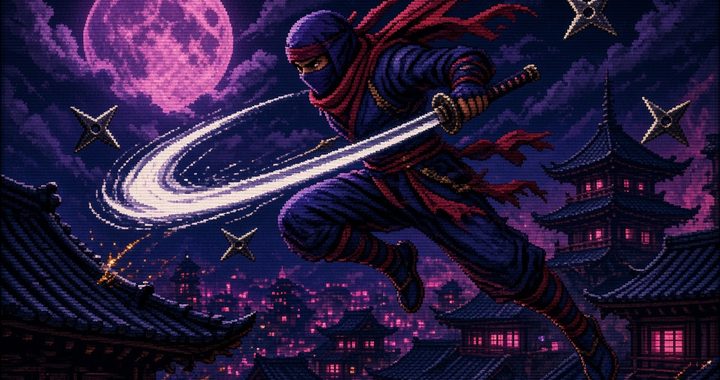
    In the late 1980s and early 1990s, ninjas ruled the arcades and living rooms. Fast, stylish, and often brutally difficult, ninja action games became a staple of the 8-bit and 16-bit generations. Here are two standout titles featuring ninja protagonists on each of the four major systems of the era that still hold up for modern retro players.

    Nintendo Entertainment System (Famicom)

    1. Ninja Gaiden (1988 Japan / 1989 North America) Tecmo’s masterpiece stars Ryu Hayabusa, the Dragon Ninja, on a quest for revenge after his father’s murder. What set this game apart was its cinematic cutscenes (a rarity on the NES), tight wall-climbing and sword combat, and an infamous difficulty curve that still frustrates and delights players today. The combination of precise platforming, secondary weapons (shuriken, fire wheels, etc.), and dramatic storytelling made it a defining ninja experience of the 8-bit generation.

    2. Shadow of the Ninja (1990) Developed by Natsume, this underrated gem lets you play as either Hayate or Kaede (or both in simultaneous co-op) as they infiltrate a dystopian future America ruled by the evil Emperor Garuda. The game features excellent climbing and hanging mechanics, weapon upgrades (katana to kusarigama), and a dark, stylish atmosphere. It plays like a more cooperative, slightly more approachable cousin to Ninja Gaiden and remains one of the best pure ninja action games on the system.

    Super Nintendo Entertainment System (Super Famicom)

    1. The Legend of the Mystical Ninja (1991 Japan / 1992 North America) Konami’s colorful take on the Ganbare Goemon series follows the mystical ninja Goemon (Kid Ying in the West) and his eccentric partner Ebisumaru (Dr. Yang). Blending side-scrolling action, town exploration, mini-games, and light adventure elements, it offers a much more lighthearted and humorous take on the ninja theme. The dual-character co-op, catchy music, and quirky Japanese humor make it a delightful contrast to the darker ninja games of the era.

    2. Hagane: The Final Conflict (1994 Japan / 1995 North America) You control Hagane, a cyborg ninja rebuilt after his clan is wiped out, seeking revenge and the recovery of a powerful artifact. This late-era SNES title mixes classic ninja moves (wall jumps, flips, multiple weapons including sword, chain, shuriken, and bombs) with a cyberpunk aesthetic. Fast, fluid, and challenging, it feels like a spiritual successor to Shinobi and Ninja Gaiden with impressive 16-bit production values.

    Sega Genesis (Mega Drive)

    1. The Revenge of Shinobi (1989) Joe Musashi returns in this stylish sequel that perfected the formula. Beautiful Stage 1 music by Yuzo Koshiro, smooth ninjutsu powers, and a perfect balance of platforming and combat made this one of the early showcases for the Genesis. The combination of shuriken throwing, sword strikes, and special ninjutsu techniques still feels fantastic.

    2. Shinobi III: Return of the Ninja Master (1993) Widely regarded as one of the best pure action games on the Genesis, Shinobi III gives Joe Musashi even better controls, more varied stages, and a refined difficulty curve. Running, sliding, wall-jumping, and the classic shuriken + sword combat reach their peak here. Many consider this the high point of the classic Shinobi series.

    TurboGrafx-16 (PC Engine)

    1. Ninja Spirit (1990) Irem’s excellent port of their own arcade game stars the ninja Moonlight (Tsukikage) seeking revenge for his father’s death. What makes it special is the ability to switch freely between four weapons (katana, shuriken, bombs, and kusarigama) and the ability to summon shadow clones. The TG-16 version is extremely close to the arcade original and stands as one of the system’s strongest pure action titles.

    2. Shinobi (1989 – primarily Japan) Asmik’s HuCard port of Sega’s classic arcade game brings Joe Musashi to the PC Engine. While it trims some content compared to the arcade (most notably Stage 2 and the bonus stages), the core gameplay, graphics, and speed remain excellent. For fans of the original Shinobi, this is still a very enjoyable version and a nice companion piece to Ninja Spirit on the same hardware.


    These eight games capture the full range of what “ninja game” meant in the 8- and 16-bit eras — from the punishing cinematic platforming of Ninja Gaiden to the colorful humor of Mystical Ninja, the cyberpunk style of Hagane, and the refined action of the Shinobi series.

    Whether you’re rediscovering these classics on original hardware, emulators, or modern re-releases (Nintendo Switch Online, etc.), they remain some of the most satisfying and atmospheric action games of their generation.

  • Emulator vs FPGA: What’s the Real Difference and Does FPGA Actually Have Zero Latency?

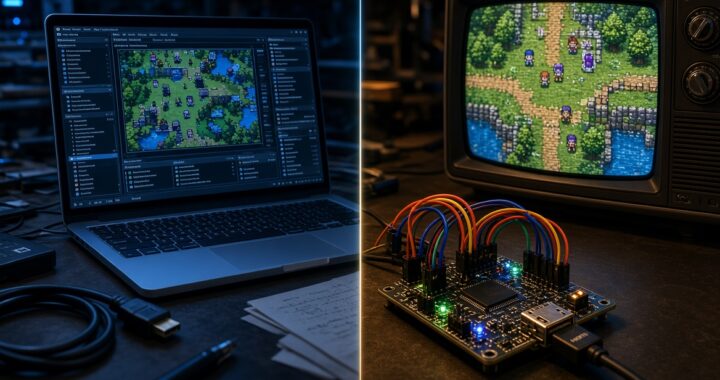
    Retro gaming has exploded in popularity over the past decade. Collectors and casual players alike are no longer satisfied with just playing the games—they want the closest possible experience to the original hardware. This has created two dominant approaches: software emulators and FPGA-based recreations.
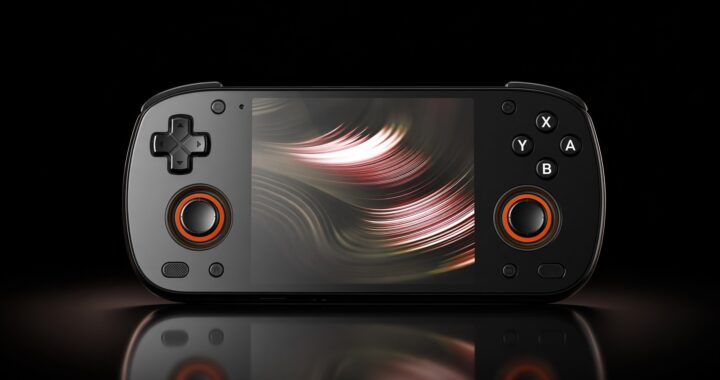
    If you’ve spent any time in the retro community, you’ve probably heard people claim that FPGA systems have “zero latency” while emulators are laggy by nature. But is that actually true? Let’s break down the real differences between emulators and FPGA, and take a closer look at the latency question.

    What Is a Software Emulator?

    A software emulator is a program that runs on a modern computer, phone, or handheld and simulates the behavior of an old game console’s hardware. Popular examples include RetroArch, DuckStation, PCSX2, Dolphin, and Mesen.

    Emulators work by interpreting or translating the original console’s instructions into something a modern CPU can understand. The better the emulator, the more accurately it recreates the original system’s timing, graphics quirks, and sound behavior.

    Pros of emulators:

    • Extremely convenient and inexpensive (or free)
    • Easy access to save states, rewind, upscaling, and shaders
    • Can run on almost any modern device
    • Constantly improving accuracy through community development

    Cons of emulators:

    • Input lag can vary depending on the host system, display, and settings
    • High-accuracy (especially cycle-accurate) emulation is very demanding on hardware
    • Some systems are still not perfectly emulated

    What Is FPGA Recreation?

    FPGA stands for Field-Programmable Gate Array. Instead of simulating the original hardware with software, an FPGA is a reconfigurable chip that can be programmed to behave like the original console’s custom chips at a hardware level.

    Projects like the MiSTer FPGA, Analogue Pocket, Analogue Nt Mini, and Analogue Super Nt use this approach. Rather than “pretending” to be a console, the FPGA is wired to function as a near-clone of the original silicon.

    Pros of FPGA:

    • Extremely high hardware accuracy
    • Consistent, predictable performance
    • Very low input lag when properly configured
    • No reliance on a powerful host CPU

    Cons of FPGA:

    • More expensive than running emulators
    • Limited to the cores that have been developed
    • Less convenience features (save states, rewind, etc. are often limited or absent)
    • Requires more technical knowledge to set up (especially MiSTer)

    Key Differences at a Glance

    AspectSoftware EmulatorFPGA Recreation
    MethodSoftware simulationHardware reimplementation
    AccuracyVaries (good to excellent)Extremely high
    LatencyCan be low with tuningConsistently very low
    ConvenienceExcellentModerate
    CostLow / FreeHigh
    Hardware DemandHigh for accuracyLow once configured
    Future-proofingDepends on software supportDepends on core development

    Does FPGA Really Have Zero Latency?

    This is the claim that gets repeated the most—and it’s also the most misunderstood.

    The short answer is: No, FPGA does not have true zero latency. But it comes much closer to the original hardware experience than most people realize.

    Here’s why the “zero latency” claim exists:

    1. No software buffering layers Emulators run on top of an operating system. Even well-optimized ones have to deal with the host OS’s input polling, frame buffering, and display pipeline. FPGA cores talk more directly to the video output and controllers.
    2. Cycle-accurate timing High-quality FPGA cores recreate the original console’s timing down to the clock cycle. This means the relationship between controller input and on-screen response is extremely close to the original hardware.
    3. Lower display lag in practice When paired with a low-lag display (or a CRT), FPGA systems often measure under 1–2 frames of total lag from button press to pixel response. Many software emulators, even with run-ahead and frame delay enabled, struggle to match this consistency across different systems.

    However, “zero latency” is marketing language. Every digital system has some delay:

    • Controller polling still takes time
    • HDMI signal processing adds a small amount of lag
    • Modern LCD/OLED panels have their own response times
    • Even original hardware on a CRT was never truly “zero lag”

    What FPGA actually delivers is latency that is consistently very close to original hardware, and often lower than the average software emulator setup in the real world.

    It’s also worth noting that modern emulators have closed the gap significantly. Features like run-ahead, frame delay, and rollback netplay mean that a well-tuned emulator on a powerful PC can feel extremely responsive—sometimes even better than original hardware in certain cases. The difference is that FPGA achieves this consistency with far less tuning and system load.

    Which One Should You Choose?

    There’s no universal winner. It depends on what you value most.

    Choose FPGA if:

    • You want the closest possible experience to original hardware
    • Low and consistent latency is a top priority
    • You’re willing to invest more money and time into setup
    • You mainly play systems that have mature FPGA cores (NES, SNES, Genesis, Neo Geo, etc.)

    Choose emulators if:

    • You want convenience, portability, and features
    • You play a wide variety of systems (including more modern ones)
    • Budget is a concern
    • You enjoy tweaking settings and shaders

    Many serious retro enthusiasts end up using both. FPGA for the systems they care about most, and emulators for everything else.

    Final Thoughts

    The emulator vs FPGA debate often gets oversimplified into “FPGA is perfect, emulators are laggy.” Reality is more nuanced. FPGA offers outstanding accuracy and very low, consistent latency that closely matches original hardware. Emulators continue to improve rapidly and remain the most accessible way to play classic games.

    If your goal is the purest possible experience with minimal lag, a well-set-up FPGA system is currently the closest thing we have to owning the original console—without the reliability issues of 30- to 40-year-old hardware. But for most players, a carefully configured emulator will still deliver an excellent experience.

    The best approach is simply to try both and decide based on how it feels to you.

  • The $6,000 Heartbreak: Why I’m Still Mourning My Lost 90s Game Magazines

    Hi everyone, it’s Super Asurada 77.

    Today, I found myself wandering down memory lane, and I stumbled upon a memory so bittersweet it almost made me faint. It’s one of those “laugh so I don’t cry” stories.

    Do you remember your “Number One Treasure” from childhood? For me, it wasn’t a toy or a bike—it was my collection of video game magazines.

    The Beginning of a Lifelong Obsession: My Middle School Years

    The year was 1990. I was just a middle school kid when a single book at the local bookstore changed my life forever.

    It was the very first issue of ‘Game World’ (게임월드).

    Back then, I was obsessed with consoles like the Famicom and Super Famicom. Seeing those vibrant game illustrations and incredibly detailed walkthroughs was like discovering a new world. I still remember the thrill of holding that first issue in my hands, bought with the 5,000 KRW allowance my grandfather gave me.

    From that day on, my month revolved around waiting for the next issue of Monthly Game World.

    A World Beyond the Screen: Game World and Game Champ

    From middle school onwards, I was a loyal subscriber. If Game World or Game Champ was on the shelf, it was coming home with me.

    I didn’t always have the money to buy the actual consoles or the latest cartridges, so those magazines were my window into that universe. I would pore over the photos and read the descriptions until I knew them by heart. Game Champ came along a bit after Game World, and I collected those too.

    I even meticulously saved all the special bonuses—the BGM cassette tapes and CDs that came as supplements. They were the crown jewels of my collection.

    The Great Catastrophe: My Time in the Military

    But as they say, all good things must come to an end. In January 1998, I received my “call to duty” and enlisted in the military.

    After the grueling weeks of basic training and being assigned to my unit, I finally got my first sweet taste of leave. I headed back home—or rather, to the new house my family had moved into while I was away. I opened the door to my new room, and my heart sank.

    “Wait… where are all my magazines?”

    I searched every corner, but my precious collection was nowhere to be found.

    “Dad,” I asked, “Have you seen the books that were in my room?”

    The Fatal Words: “Oh, those? I threw them away!”

    My father’s reply was casual, almost breezy: “Oh, those? We were moving, and they were just taking up space and too heavy to carry. So I tossed them out!”

    Yes… you read that right. Years of passion, loyalty, and “geek” history had been swept away by the tide of a house move and ended up in a landfill.

    The shock I felt in that moment… even thinking about it now brings a tear to my eye.

    Years Later, a Shocking Discovery

    Fast forward to the late 2000s. I was browsing the internet and happened to click on a vintage collector’s site.

    Out of curiosity, I searched for ‘Game World Issue #1.’

    I nearly fell out of my chair when I saw the price.

    A single copy of Game World Issue #1 was being traded for anywhere between $400 and $750 (500k to 1M KRW).

    Wait… how much? $750?!

    What used to be a $4 magazine bought with pocket money had become a legendary “holy grail” of retro items. Other issues were easily going for over $100 each.

    If I still had that entire collection I had built up… how much would it be worth today? Probably around $6,000 (8 Million KRW)? (Haha… sob).

    Where are you now, my dear magazines?

    It’s painful to realize that the “stacks of paper” my father tossed out were actually “golden geese” that would be worth a fortune today.

    But beyond the money, it’s the loss of that pure passion and the memories of my youth that hurts the most. I deeply miss those days of Game World and Game Champ.

    Hey, publishers! If the Neo Geo AES can get a “mini” reissue, can’t we get a reprint of these legendary magazines too? A guy can dream, right?

    Just as a heads-up, you can find Game Champ archived as e-books on the GameMeca website [link]

    Original article in Korean: [link]

  • Retroid Pocket 5 Mini V2 – Hands-On Review

    By Super Asurada 77 | Retro Joy Lab

    Retroid has released both the Retroid Pocket 5 and its smaller sibling, the Pocket 5 Mini.
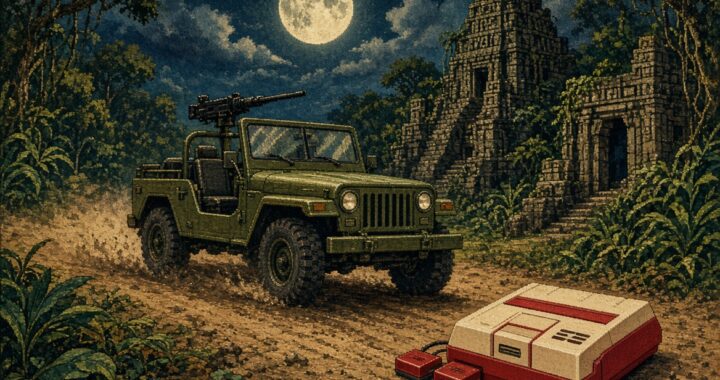
    However, many users complained about the smaller screen size.

    Then, quite suddenly, Retroid dropped the V2 version — and it’s now officially available on their website.
    I managed to get my hands on one and gave it a proper test.


    One of the biggest strengths of the Pocket 5 Mini is its light weight.

    The regular Pocket 5 weighs about 282 g, but the Mini tips the scale at only 233 g — incredibly light.
    Among all handhelds in the 200-gram class, this one easily leads in performance.

    It uses the same Snapdragon 865 chipset as the Pocket 5 — the very same chip found in the Galaxy S20 Plus.

    Unlike smartphones that can throttle performance due to heat (since they lack a fan),
    the Pocket 5 Mini includes active cooling, keeping frame drops under control even during demanding games.


    Performance:
    Even at 3× internal resolution, PS2 games run smoothly without lag.

    Kunoichi — a game that usually stutters on many handhelds — runs beautifully on this device.


    Onimusha 2 also plays effortlessly.


    Tekken 5 runs perfectly fine too.


    Even Super Robot Wars Impact performs like a charm.

    However…

    When you open the map view, things get tough for us 40- or 50-something gamers with aging eyes.

    It’s really hard to tell the units apart! On the 2D tactical map, you can only distinguish red and blue units —
    but identifying the individual mechs is nearly impossible, even with the upgraded 3.9-inch display.


    On PSP, the screen appears slightly cropped at the top and bottom — so everything looks smaller.


    If you adjust the display scaling in the PSP emulator, it becomes much more comfortable to watch.


    At 1:1 aspect ratio, it feels crisp and clear —


    But returning to the original ratio makes it tiny again.
    Oh, my eyes… if only I could get my youth back!


    Nintendo DS requires some tweaking too — the left and right edges may get cut off depending on the layout.


    Still, NDS games run extremely well.


    If the Pocket 5 Mini V2 handles Tekken 5 smoothly, then Tekken 3 (PS1) is absolute perfection.
    Even when you crank up all the graphical enhancements in the core settings, it doesn’t break a sweat.


    Famicom (NES) originally had an 8:7 pixel aspect ratio,
    but on CRT TVs it was stretched to 4:3.
    With the emulator set to 8:7, you get a much more natural and satisfying view.


    Super Famicom (SNES) uses a similar ratio — set it to 8:7 and it looks fantastic on the V2 screen.
    This is one of the biggest visual advantages of the new version.


    Game Boy titles, with their nearly 1:1 aspect ratio, look perfect on the V2 display.


    Neo Geo Pocket games also match beautifully with this screen.


    And Game Boy Color runs wonderfully as well.
    You can enjoy most portable console titles in their original aspect ratios,
    almost identical to the feel of real hardware.


    Surprisingly, even Game Boy Advance titles look good —
    though you’ll notice thin letterbox bars on top and bottom, the image fits the V2 display naturally.


    I also compared PS2 gameplay between the Pocket 5 and Pocket 5 Mini V2.
    The difference? Practically none in performance.
    However, those tiny map screens will definitely test your eyesight!


    When it comes to Super Famicom games, the V2’s native 8:7 ratio really shines.
    Despite the smaller screen, it doesn’t feel cramped compared to the Pocket 5.


    Same goes for Famicom titles.


    NDS games are surprisingly enjoyable too.


    Interestingly, GBA graphics even appear sharper on the Mini V2 —
    whereas on the Pocket 5 you can clearly see the pixel grid.


    When it comes to Game Boy, the Pocket 5 Mini V2 wins hands down.

    If you enjoy long sessions — say, a full hour of Super Robot Wars
    you’ll appreciate the comfort and lightness.

    For comparison: playing the same game on the Odin 2 while lying down
    can make your wrist ache after an hour.
    The Mini V2, however, feels feather-light.


    Verdict

    If you value portability and want to enjoy classic consoles like the Famicom and Super Famicom
    in their authentic screen ratios, the Retroid Pocket 5 Mini V2 is highly recommended.

    It’s also a great choice for those who want smooth PS2 performance in a compact form.

    However, if your eyesight isn’t what it used to be,
    you might be happier sticking with the Pocket 5 instead — the larger display makes a real difference.


    A Few Notes

    • Bluetooth audio can disconnect occasionally in the subway — more often than on the Pocket 5 —
      but it only happens in weak-signal areas.
    • Charging: Supports fast charging.
      Don’t use a 5 V 1 A charger — it may overload and overheat.
      Always use 5 V 2 A or 9 V chargers for safety.

    Enjoy your retro gaming life!
    🎮 — Super Asurada 77

    Original article in Korean: [link]

  • Konami’s Jackal: How to Beat the Ultimate 8-Bit Run-and-Gun Classic

    Hello everyone — SuperAsurada77 here!
    Today I’m bringing you another classic Famicom game that even us middle-aged gamers (with the power of save states, of course) can conquer without breaking our thumbs.
    The text might be short, but the screenshots are plenty — so buckle up, this might be a long one!


    🚙 1988 – Konami’s Military Rescue Classic

    Released in 1988 by Konami, Jackal is a top-down run-and-gun shooter where a single jeep and four elite soldiers are dropped deep behind enemy lines.
    That’s right — just one jeep to take down an entire enemy army. No backup, no tanks, no reinforcements. Just pure 8-bit insanity.


    Stage 1 – Into Enemy Territory

    Our tiny jeep parachutes into the battlefield — and the mission begins.

    Along the way, you’ll find small buildings holding POWs. Blow them up with grenades or missiles to free your captured comrades.
    It’s a mystery how they survive the explosions unscathed… but hey, let’s not ask questions. Just rescue them!

    Some POWs glow when you pick them up — rescuing these VIPs upgrades your grenades to missiles, and with each rescue, your missile blast radius grows even larger.

    Halfway through the stage, you’ll spot a friendly helicopter waiting under heavy enemy fire. Drive close and your rescued soldiers will board the chopper.
    How they all fit into one jeep — and how the helicopter isn’t shredded by bullets — is another mystery. But again… just rescue them. 😄

    Boss Fight:
    Multiple blue tanks will swarm you. Dodge their shots and take them down one by one.
    Your thumbs will start screaming here, but hey — it’s only Stage 1.

    “YEAHHHH!” shout your rescued comrades. Your thumbs? “NOOOOO!”


    Stage 2 – The Temple Fortress

    The second mission takes place in what looks like an ancient temple. Rescue more POWs and get them to the extraction chopper before facing the boss.

    Boss: A massive stone statue.
    Dodge the smaller tanks and focus your missiles on the statue. It fires homing missiles, but with precise D-pad control, you can avoid them.
    Come on — we’re 40-somethings, we drive cars. This is nothing!

    Once again: “YEAHHHH!” from the soldiers, and “ARRRGHH!” from your thumbs.


    Stage 3 – Harbor Assault

    The action shifts to a busy port with laser defenses. This is where save states truly become your best friend. Don’t feel guilty — stress-free gaming is the goal!

    Boss: …an aircraft carrier.
    Yes, somehow your lone jeep is going to blow up a carrier. It’s ridiculous — and that’s exactly why we love it.

    “YEAHHHH!”
    Your thumbs? Numb. Your wrist? Tingling. On to Stage 4!


    Stage 4 – Swamp Warfare

    The swamp slows your movement significantly — avoid it as much as possible. Rescue more comrades and prepare for another tough fight.

    Boss: A giant helicopter.
    Normally, Rambo would take this thing out with a bow… but since he’s not here, you’ll have to do it with a jeep. 😅
    Shoot down paratroopers, dodge the tanks, and keep firing until the chopper explodes.


    Stage 5 – Enemy Headquarters

    You’re near the enemy HQ now, and things get chaotic: flamethrowers, landmines, helicopters — everything they’ve got is coming your way.
    Even under this barrage, you’re still rescuing POWs and getting them out. What a hero.

    Boss: The heavily guarded main gate.
    Destroy the turrets and the tank hangars. Once the power is cut, the gates will open and you’ll storm the base.

    At this point, your hands are probably screaming louder than the enemy soldiers. 😂


    Final Stage – The Fortress Showdown

    Inside the enemy stronghold, things get brutal.
    Laser cannons blast the ground, leaving craters you can’t cross. Your D-pad skills will be pushed to the limit.

    Destroy both laser turrets — but you’re not done yet. The main building must also be destroyed with heavy missile fire.

    Just when you think it’s over… a massive tank rolls in. Dodge its main cannon and keep firing.

    When it turns red, it’s close to defeat. Stick to the pattern: shoot, dodge, shoot, dodge.

    Finally, the tank explodes — mission complete!


    🎖️ Mission Complete

    Four brave soldiers have rescued countless POWs and now gaze at the sunset from their jeep.
    “Press Start” appears on the screen…

    Start again? Nah. My thumbs and wrists need a vacation after one playthrough. 😅


    🕹️ Final Thoughts

    Jackal is one of those games that perfectly captures the charm and madness of 8-bit gaming.
    It’s absurd, intense, hilarious, and deeply satisfying — especially for retro gamers over 40 looking to blow off some steam with save states.

    You’re not just playing a game. You’re rescuing comrades, saving the day, and laughing at the ridiculousness of blowing up an aircraft carrier with a jeep.

    Mission accomplished, soldier. 🫡

    Original article in Korean: [link]

  • How to Beat Contra (1988) – Tips, Boss Strategies & Retro Memories

    Hello everyone — SuperAsurada77 here!
    Today, I’m bringing you another retro classic that even us middle-aged gamers (with a little help from save states) can actually beat.
    This is not a one-credit challenge. Life is already stressful enough — with kids, wives, jobs, and society piling on pressure every day, why add more stress by trying to 1CC a 1980s action game? 😅

    This post might look long because of the many screenshots, but trust me — it’s worth it.


    🪖 1988: KONAMI’s Legendary Run-and-Gun

    Back in 1988, Konami released Contra — one of the most iconic run-and-gun shooters ever made.
    In Korea, we used to call it “Hondra” for some reason.
    Fun fact: Konami’s leadership actually hated the game business despite being a game-making powerhouse. And yet, Contra became a timeless classic when it hit the Famicom/NES.


    Stage 1 – Jungle Assault

    We’ve all been stuck replaying the first stage over and over again as kids. But with the magic of save/load, you can finally break through.

    Boss: Technically, it’s a building — but yes, it’s the boss.
    Crawl into position beneath each gun turret and unleash rapid fire.
    We Korean gamers have done real military training — standing fire, kneeling fire, prone fire — so this is nothing. 😂


    Stage 2 – 3D Base Attack

    After destroying the entrance, you infiltrate the enemy base. This stage blew our minds back in the day — a 3D-style base run in an 8-bit game!

    Stay prone to dodge the relentless bullets. Destroy the blue glowing cores in the center to advance. When the bullets stop, stand and fire.

    Boss: Looks like a giant 1940s supercomputer. The blue energy shots can be destroyed with bullets. Keep moving and use turbo fire to blast it down.


    Stage 3 – Mountain Mayhem

    Here come the rolling boulders! Use save/load liberally — this stage is tough.

    Boss: Alien vibes incoming. Destroy the arms first, then unload on the head for the win.


    Stage 4 – Another Base Battle

    Back to the 3D base gameplay. The same tactics work — and you’ll need them. You’ll probably die a lot here, but don’t give up!

    Boss: Another giant machine, plus enemy soldiers. Hold your ground and keep firing. Then suddenly… a spaceship appears out of nowhere. By now, your D-pad reflexes should be godlike — use them to survive.


    Stage 5 – Winter Warfare

    The pixel art here is peak 8-bit nostalgia — snowy and atmospheric.

    Mini-Boss: Spray and pray. Just keep shooting until it goes down.

    Boss: An alien UFO! The Contra universe just keeps expanding.
    Shoot both the ship and its projectiles. When it disappears and reappears, bombard it with bullets again.


    Stage 6 – The Boss Gauntlet

    This entire stage is basically a boss fight. You’ll lose a few lives — and that’s okay.
    Just like how we “pay” for a new console with house chores or gifts for our wives, you’ll need to sacrifice some lives to win here. 😂

    Boss: Jump over its attacks, shoot the weak points, and don’t stop firing — even if it throws weird weapons at you. You’ll probably beat it after losing a couple of lives.


    Stage 7 – Brutal Battles

    This level is as hard as any boss fight. Blast through the walls with rapid fire.

    Boss: Absolutely brutal. The two purple turrets at the bottom fire three shots upward — hard to dodge, hard to hit. If you run out of lives, it’s okay to continue. Remember: this is still easier than raising kids or listening to your wife’s lectures. 😆


    Stage 8 – The Final Mission

    And then… aliens. Of course.
    We all saw it coming — and yes, they probably paid for the license. 😂

    Mid-Boss: Easy work.

    Final Boss: The Alien Queen herself. If you’ve made it this far, victory is within reach. Sacrifice a few lives and finish the job!


    🎉 The Ending – A Hero’s Reward

    Our heroes complete the mission and escape the island by helicopter as the credits roll. No post-credit scenes here — just sore fingers, tired wrists, and strained eyes. Reward them with a couple of eye drops and a good stretch.

    Congratulations!
    You’ve defeated the evil Red Falcon and saved the universe. Think of yourself as a hero… though, like any hero, you’re rewarded with nothing but “passion pay.” 😅

    And yet, tomorrow we’ll still get on the train and head home after another long day. That’s life — and that’s Contra.


    🕹️ Final Thoughts

    Contra isn’t just a game — it’s a time machine back to our childhood, and a great stress reliever for anyone over 40. With save states on your side, you can conquer it. So grab your controller, load those save files, and unleash hell on Red Falcon.

    Good luck, soldiers — and happy gaming!

    Original article in Korean: [link]

  • RoboCop (Famicom) – A Game Even 40-Somethings Can Beat!

    Hi everyone, this is SuperAsurada77 here.

    Today I want to introduce a game that even us middle-aged retro gamers in our 40s can actually finish.

    Back in 1987, RoboCop premiered in theaters here in Korea. I was still in elementary school then, so I couldn’t watch it on the big screen. A few years later in middle school, I finally got to see it on VHS — and it absolutely blew my mind. It instantly became one of my all-time favorite movies.

    Of course, there was a RoboCop arcade game too, but beating even the first-stage boss ED-209 with a single coin was nearly impossible. Later, I borrowed the RoboCop cartridge for the Famicom from a friend and gave it a try.
    Funny thing — the cartridge was a pirate copy, so RoboCop wouldn’t die even when hit. Thanks to that little “feature,” I actually managed to clear the game!

    Fast forward to today, and I decided to replay it. And to my surprise, I found myself clearing each stage — okay, with a bit of “save and load” magic, but still. 😂

    Just like in the movie, you can rescue hostages, take on ED-209 in a showdown, and even switch weapons with the Start button.

    There’s a factory mission where you hunt down and eliminate the mid-boss, and with some effort, victory is possible there too.

    In the movie, RoboCop takes out the mid-boss with a spike-like USB that shoots out of his fist. In the game, however, you’ll need to chip away at his health.

    The final boss is, of course, ED-209 again. While RoboCop blasts him apart with a single rifle shot in the film, here the fight is tougher — if you’re not careful, you might even lose due to the time limit.

    Once you’ve defeated the final enemy, the ending plays out much like the movie: the villain takes the OCP chairman hostage, but once the chairman fires him, RoboCop is no longer restricted by “Directive 4” and can finish the job with one shot.

    “Directive 4” is what prevents RoboCop from attacking OCP executives — but once the villain hears “You’re fired!” he’s no longer protected. The chairman calmly steps aside, and RoboCop does the rest.


    The villain tumbles out of the building and meets his end. Even though the background is just black pixels, you can feel the justice being served.

    The credits roll, and the game ends. Sadly, the iconic final moment — when the chairman asks RoboCop for his name and he answers “Murphy” — isn’t included. A missed opportunity!

    But overall, this is a game that anyone in their 40s and up can definitely clear.
    Sure, running out of time can feel frustrating, but that’s part of the fun. 😂

    Have fun playing — and enjoy the nostalgia trip! 👊

    Original article in Korean: [link]